Basic Guidelines
-
Before printing, ensure that the [Preview Page] achieves the desired effect to avoid wasting paper.
-
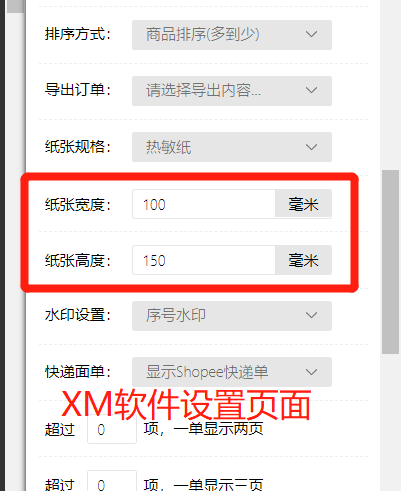
The paper size must be set according to the actual dimensions of the paper. There are two places where the size needs to be configured: one is within the software, and the other is in the printer's built-in settings. Incorrect size settings can lead to misaligned printing issues.
)
)
Illustration of the system printer settings entry:
)
)
-
If the output consists of one blank page followed by one normal page, this issue typically occurs in UC Browser or Google Chrome. It is recommended to switch to a different browser for printing or reinstall the latest version of the browser.
-
Remember to disable [Headers and Footers] under [More Settings] on the print page.
)
- For thermal printers, the "Color Mixing" feature must be enabled to print watermarks. Please enable this in the system printer settings (settings may vary by printer model, but the method is similar).
)
)

Comments
0 commentsNo comments yet — be the first to speak
If this piece sparked a thought, leave a comment and share your take.